




























Instagram Reels vs Posts: Reels Got 4.6x the Views, Carousels the Most Engagement
We looked at 3,464 Instagram posts from 195 accounts. Reels got 4.6x the median views of single images and 2.4x those of carousels, while carousels had the highest engagement rate. Here is the data and how to use each format.
 Iker G. · 8 min readLeer en español
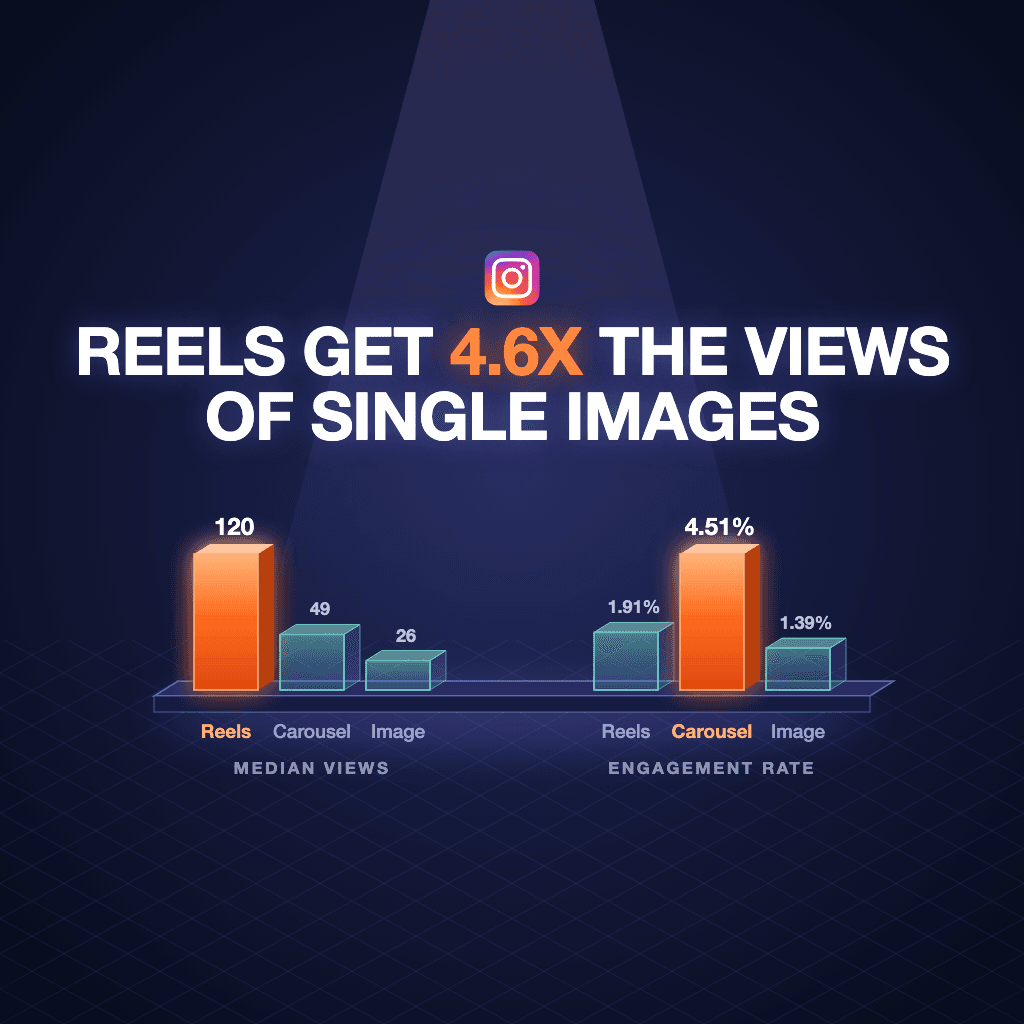
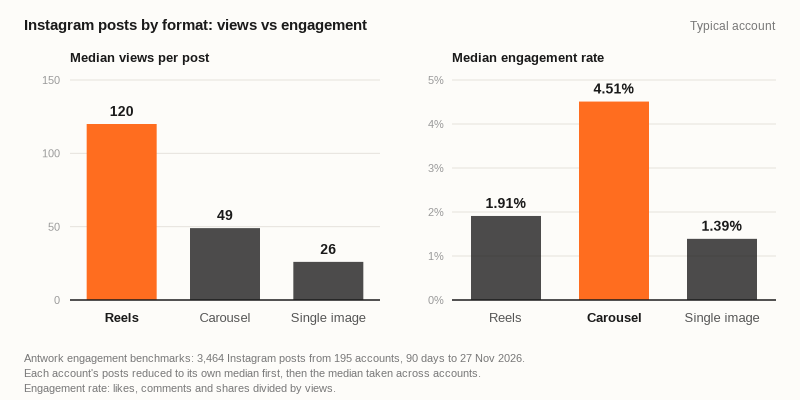
If you want more people to see your Instagram posts, post Reels; if you want the people who see them to react, post carousels. In our anonymised data from 195 Instagram accounts, Reels got a median of 120 views per post, against 49 for carousels and 26 for single images: 4.6x the views of a single image and 2.4x those of a carousel. Carousels won on engagement instead, with 4.51% of views turning into a like, comment or share, against 1.91% for Reels and 1.39% for single images.
So the honest answer to "Reels vs posts" is that it depends on the post. Single images came last on both counts. Below are the numbers, what they do and do not prove, and five changes you can make to your account this week.
The numbers: views, reach and engagement by format
We took 3,464 Instagram posts that 195 accounts published through Antwork in the 90 days to 27 November 2026, and grouped them by format.
| Format | Accounts | Posts | Median views | p75 views | Median reach | Median engagement rate |
|---|---|---|---|---|---|---|
| Reels (video) | 127 | 1,894 | 120 | 192 | 104 | 1.91% |
| Carousel | 76 | 646 | 49 | 149 | 19 | 4.51% |
| Single image | 100 | 924 | 26 | 80 | 14 | 1.39% |
| All Instagram | 195 | 3,464 | 63 | 181 | 43 | 1.80% |
How to read it:
- Median views is the typical account's typical post. Each account's posts in a format are reduced to that account's own median first, then we take the median across accounts, so one big account cannot move the number. Views are Instagram's own views count.
- Median reach is how many accounts saw the post. Reels reached 104, more than five times a carousel (19) and seven times a single image (14).
- p75 views is the account a quarter of the way from the top. Carousels jump here, from 49 to 149: some accounts get far more from carousels than the typical one, so the format has a wide spread.
- Engagement rate is likes, comments and shares divided by views. Saves are not in it.
One thing to keep in mind with the engagement rate: it is a rate per view. Carousels had fewer views than Reels, so the same number of likes counts for more. Read the 4.51% as "people who saw a carousel interacted with it more often", not as "carousels got more likes in total".
Why Reels get found and carousels get answered
Our data shows what happened, not why. Instagram's own description of how it ranks content gives a likely reason for the reach gap. Adam Mosseri, the head of Instagram, wrote: "Each part of the app – Feed, Stories, Explore, Reels, Search and more – uses its own algorithm tailored to how people use it." Of Reels, he wrote that "the majority of what you see is from accounts you don’t follow" (Instagram, May 2023). A Reel can be shown to people who have never heard of you. A photo mostly reaches the people who already follow you.
For carousels, the likely reason is simpler: a carousel asks for a swipe, and someone who has swiped through five slides has already decided the post is worth their time. That is our reading, not something the data proves.
What to do this week
1. Use Reels when the goal is to be found
If you want new people to see you, your next post should be a Reel. In our data, Reels were the only format whose typical post reached more than a hundred accounts. A Reel does not need to be produced like an ad: a short clip of you showing the thing, with the point said in the first seconds, is enough to test. Instagram says the most important things it predicts for Reels are "how likely you are to reshare a reel, watch a reel all the way through, like it, and go to the audio page" (same source), so make it short enough to finish.
2. Use carousels when the goal is a reaction
When the post is a tip, a list, a before and after or a short how-to, make it a carousel. That is where people who saw the post most often liked, commented or shared it. Put the promise on the first slide, one idea per slide after that, and a question or a clear next step on the last one. Our Instagram image size guide has the carousel and Reel sizes side by side.
3. Turn each Reel's main points into a carousel
You do not need two ideas a week to use both formats. Take the Reel that did best last week, write its three to five main points as slides, and post the carousel a few days later. The Reel finds people; the carousel gives the people who stopped something to save, answer or send on. If you already write your posts with an AI assistant, it can turn the Reel's caption into slide text, and Antwork lets it schedule the Reel and the carousel from the same chat.
4. Stop posting lone single images when you want reach
Single images came last on every measure we have: 26 median views, 14 accounts reached and a 1.39% engagement rate. If you have one strong photo, make it the first slide of a carousel, or show it in a short Reel, rather than posting it alone. Keep single images for posts where reach does not matter, like a quick announcement to people who already follow you.
5. Write a caption with something in it
A secondary point from the same data: captions under 100 characters had the lowest median views (47), against 79 for 100 to 299 characters, 64 for 300 to 999 and 77 for 1,000 or more (30 to 149 accounts per group). Very short captions did worst; beyond that, length made little difference. Two or three sentences that say what the post is about are a fair default. This is also a correlation, and caption length often goes with the kind of post, so treat it as a hint.
Measure it on your own account
Our numbers are medians across many accounts; your account is its own experiment. For four weeks, post the same kind of idea as a Reel one week and as a carousel the next. Write down each post's views, reach and interactions seven days after it went out, so older posts do not get extra time. Our free engagement rate calculator does the sums. If the Reels win on views and the carousels win on engagement on your account too, split your posts by goal. If not, you have your own answer, which beats ours.
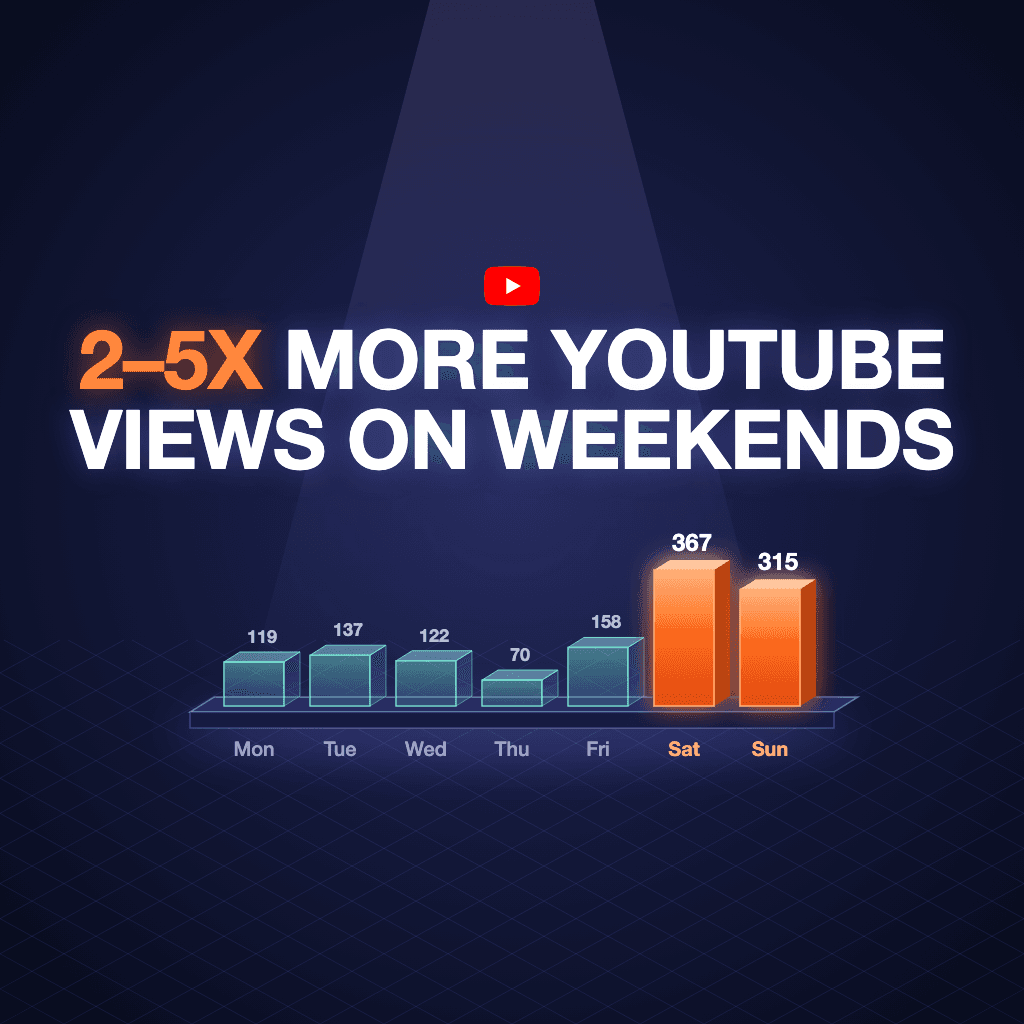
We ran the same kind of analysis on YouTube, by day of the week: weekend videos got 2 to 5x the views.
What this data does not tell you
- Correlation, not cause. Accounts that post Reels may differ from accounts that post images: their niche, their audience size or how often they post. The format may not be what made the difference.
- Medians, not a promise. These are typical results across accounts. One account's Reel can get fewer views than its photos, and the p75 column shows how wide the spread is.
- Instagram only, and Antwork users only. The data covers the Instagram accounts of Antwork users, mostly small and mid-size. It is not a sample of Instagram as a whole, and an account with a million followers may see something else.
- No saves. Our engagement rate counts likes, comments and shares. Saves are not in the numbers, so we cannot say which format gets saved most.
How we measured it
The numbers come from Antwork's anonymised engagement benchmarks, the nightly run of 27 November 2026. We read every Instagram post that Antwork users published through Antwork in the previous 90 days and that had metrics: 3,464 posts from 195 accounts. Antwork's own internal accounts are excluded, and the benchmark carries no account names, ids, captions or links.
The format comes from what the post carried: one video counts as a Reel, one image as a single image, and two or more files (images, videos or both) are a carousel. Views and reach are the latest counts we had read from Instagram for each post. Engagement rate is likes, comments and shares divided by views. Each account's posts in a group are reduced to that account's median, and the median and 75th percentile are then taken across accounts, so each account gets one vote. A group is published only when at least 30 accounts are in it; every format cleared that bar, from 76 accounts for carousels to 127 for Reels.
Sources
Instagram Reels vs posts, answered
Do Reels get more views than posts on Instagram?
Yes, in our data. Across 195 Instagram accounts, the typical account's median Reel got 120 views, against 49 for a carousel and 26 for a single image. That is 4.6x the views of a single image and 2.4x those of a carousel. It is a correlation across accounts, so test it on yours.
Do Reels or carousels get more engagement?
Carousels, per view. Their median engagement rate was 4.51%, against 1.91% for Reels and 1.39% for single images. The rate is likes, comments and shares divided by views, and carousels had fewer views, so read it as people who saw a carousel interacting more often, not as carousels getting more likes in total.
Should I stop posting single images on Instagram?
If your goal is reach, mostly yes: single images came last on views (26), reach (14) and engagement rate (1.39%) in our data. If you have one strong photo, it can still work as the first slide of a carousel, which did better on both counts.
Should I post Reels or carousels?
Both, for different jobs. Reels got the most views and reach, so use them to be found by people who do not follow you yet. Carousels got the highest engagement rate, so use them when you want the people who see a post to react to it. Turning a Reel's main points into a carousel gives you one of each from the same idea.
Does caption length matter on Instagram?
A little, in our data. Captions under 100 characters had the lowest median views (47), against 64 to 79 for longer captions. Caption length often goes with the kind of post, so treat it as a hint rather than a rule.

Founder of Antwork, the social media manager that lives inside your AI. Writes about posting from Claude, ChatGPT and the editor.